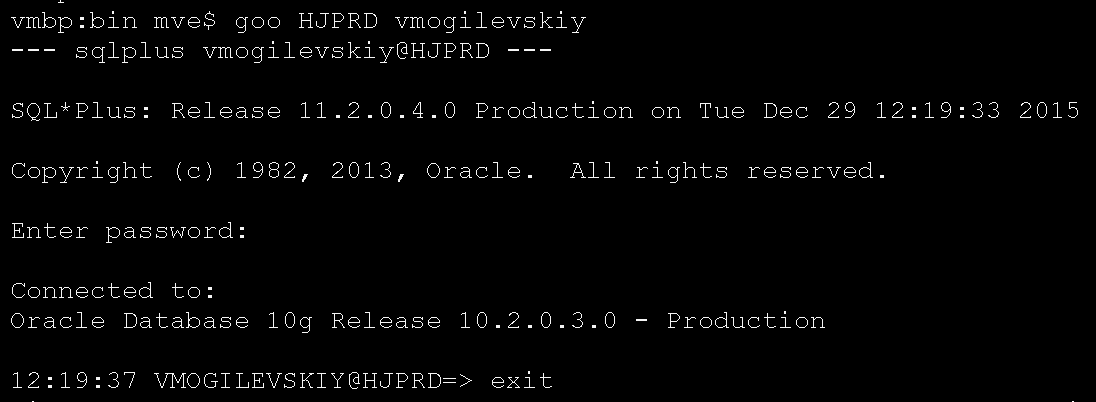
It’s Tue Nov 4 10:55 2014. I finally get “4294967295 rows created” after 1 hour and 50 minutes has elapsed. That’s (232 – 1) – the number Oracle engineers thought you’d never reach using the Data Pump tool. But we reached and went beyond it a long time ago. In fact we are so far beyond it – we doubled that number and keep adding to it over 10 million daily.
And today we are decoupling our matching data store consisting of 8.9 billion matches from our customer facing database. All this data is going into it’s own database cluster. The end goal? Tackle the “Big Data” problem and scale the matching microservices independently.
It’s Not What You Did, Son!
What we are doing is not ground breaking. Twitter did something similar. They moved their “largest (and most painful to maintain) table – the statuses table, which contains all tweets and retweets” from MySQL to Cassandra back in 2010. Netflix moved their User’s Movie Queue from SimpleDB to Cassandra back in 2013 using a similar approach.
But as Viggo Tarasov said “It’s not what you did, son. It’s who you did it to”! And in this case we are doing this migration on an Oracle Centric platform, but instead of relying on the “Big Iron” replication technologies we developed our own migration service and drafted a repeatable technique of dealing with the Big Data problem.
This technique combines batch and realtime processing to apply the same set of functions on the whole data set to produce a consistent result. You could even argue that it’s a similar pattern used in the Lambda Architecture. But instead of a query being the end-result – we are after a whole data set conforming to the new data model.
What’s The Plan?
The migration plan we came up with has a 5-Step process:

- At T0 we turn on an event driven “Dual-Write” migration service to mirror the writes from our “legacy” database to the new database cluster. These writes go into a dedicated “empty” staging schema. If it’s an update on the source DB and no record exists in the staging schema then we create a new one. This migration service would be applying the same transformation rules as the “Backfill” process (see 3) and the two sets of data merge afterwords.
- At T1 we create a consistent “as-of” snapshot of our “legacy” database, mount it on a standalone node and extract the data to a shared storage.
- Start the “Backfill” batch process and load the data as of T1 into the new database cluster applying transformation rules, deduplication, partitioning and re-indexing at the same time. The “Backfill” data lands into it’s own dedicated schema which is separate from the “Dual-Write” schema (see 1).
- Once the “Backfill” batch process finishes – we briefly pause the “Dual-Write” migration service and merge it’s data with the “Backfill” schema. “Dual-Write” data overwrites any overlap with the “Backfill” data because it’s the lastest version from the “legacy” database.
- Finally, restart “Dual-Write” migration service and continue mirroring the writes to keep the two databases in sync.
Once the two databases are in sync we start to deploy new microservices on the new datastore. We then sample these microservices for a small cohort of users carefully watching for any failures and performance issues.
In the event of a failure we simply revert back to using the old service/datastore, fix the problem and repeat the process until our confidence level is high (all the while the Dual-Write migration service is keeping the two data stores in sync). And the obvious end result is switching all users to the new datastore.
What follows next is the peek into the tooling and instrumentation methods that got us through the steps 2–5.
Instrument or Else!
Last night we did steps 1 and 2 – and the historical data extract finished in 8 hours 8 minutes and 11 seconds – that’s 13 hours faster than the last rehearsal during which we had some problems with our shared storage system. We keep the prior stats for reference right in the “run-doc” comment section (I go into the “run-doc” structure a little further).
To create a consistent snapshot we placed the source database in a backup mode and took a storage level (SAN) snapshot of the underlying volumes, we then presented the snapshot to the staging database node and restored the database bringing it to a consistent state. At this point we started an extract process using Oracle’s Data Pump tool with 16 parallel workers dumping the data to a shared storage via NFS.
For any long running process (over few minutes long) we also snapshot the underlying system performance metrics using continuous monitoring we developed in-house – this allows us to get an early warning if the system is struggling with resources while running the job:

Without this instrumentation we’d be flying blind and would only know there is an issue after the prior rehearsal’s elapsed time has passed.
I Like to Copy/Paste
So far so good – we are ahead of schedule and I am now driving the “Backfill” process which consists of steps 8 through 16:

The “run-doc” is a series of copy/paste commands that call independent shell scripts – you could string them together in a master script or run them one at a time. Each individual script checks for completion errors and emails result on exit.
The run-doc limits the error-prone decision making process during production rollout and lets you focus on the task at hand even when you are half asleep. The last thing you want to be doing when tired is doubting yourself while figuring out the next step.
Keep Your Hands Off!
Part of the migration process is the transformation of the legacy data into a newly designed data model capable of absorbing the Big Data flow and conforming it to the new set of stringent constraints. You can do the transformation during extract or reload.
Our testing showed that applying these data transformation rules during the “Backfill/reload” process performed faster because our target database cluster had more CPU power than the standalone staging server where we extract the legacy data. It also helps when the original extract mirrors the legacy data just in case there are any questions during the data validation phase.
Needle In A Haystack!
Our new data model and indexing strategy revealed a problem – duplicates! Take 8.9 Billion Matches double them for indexing by flipping the USER1 and USER2 ids (you can now lookup by either ID) and what you get is a cross match duplicate in a rare case when two distinct matches were mistakenly made for the same pair of people:

I thought it was an easy problem to solve … and it was – during the first rehearsal, when I simply used a GROUP BY function to find the duplicates. But during our second rehearsal we must have hit a critical mass and the same exact query plan generated twice the amount of SORT – all on disk.
We ran out of TEMP space. I was getting nowhere – three runs each lasting over 40 minutes failing on space every time. I gave the TEMP 2TB of space, it consumed it and I threw in the towel.
Thankfully Oracle has a powerful set of Analytic functions that can deal with this problem more efficiently than a simple GROUP BY function ever could. Specifically the “Row_number() over (partition-clause order-by-clause)” that assigns a unique number for each row in the ordered data partition as defined by the partition-clause.
And when the Row_number() is applied to a data set with duplicates these dups resolve to a Row_number() > 1 and it’s easy to filter them with a simple where clause predicate. Running this filter on a full data set of 17.8 Billion Matches took only 50 minutes [Elapsed: 00:50:02.89].
Do You Have The Brakes?
After purging the duplicates we moved on to the indexing process using a custom developed package that takes a table name, number of concurrent workers and the ID of the database node on which to run the index rebuild as it’s input parameters. It spawns X-number of the index rebuild workers that read the queue table which contains a dynamically built list of table partitions to work on.
We can stop/start the index rebuild workers at any time and they’ll pick up where they left off. This capability was essential during the testing phase and allowed us to carefully adjust the index rebuild parameters by monitoring it’s effect on the database cluster and the storage sub-system.
Are We There Yet?
Thankfully it’s easy to answer because (1) the index rebuild workers keep a progress log (using autonomous transactions) (2) simply looking at the queue table:

This level of instrumentation tells us exactly what table partition we are at, the counts of finished vs pending and an average time it took to rebuild all indexes for each partition:

It’s also easy to tell when it’s all done by checking the autonomous transaction table log:

At the end we also get a per table summary with a total time spent on it:

Do You Know What You Are Doing?
Oracle optimizer doesn’t, unless you give it the table/index stats it needs to come up with the correct query plan. To get these stats you run a gather statistics process that can take a full day to complete.
This is not optimal during production migration so instead we gathered these stats ahead of time, exported them out and now we simply import them using DBMS_STATS.IMPORT_SCHEMA_STATS – all it takes is a few seconds. Just make sure to watch out for the auto-generated hash partition names [SYS_P%]. We had to write a small procedure to rename them to match the names in the statistics.
The Moment Of Truth
At this point the Backfill activities are over – data set is clean, partitioned and indexed. We briefly stop the Dual-Write migration service, take a count of rows:
- Backfill Historical Matches: 8867335138
- Dual-Write Online Matches: 23046176
then purge all overlapping Matches from the Historical data set by getting match_id from the Online data set and using nested loop via a hint [USE_NL] as it was the most efficient query plan for this operation during out testing phase.
As a side note we hit 30K IOPS during this operation with service times under a millisecond:

Next step of merging the two sets of data is a simple matter of doing direct path insert [INSERT APPEND PARALLEL] with 32 slaves and just letting Oracle manage index maintenance – direct path insert puts index partition in an unusable state during the data load but it also keeps track of it’s changes via UNDO segments and resolves the delta after the data load completes. It only took 1.5 minutes (01:30.13) to insert the 23046176 rows and do the index maintenance.
Last step is to simply flip the synonyms for the database access points that Online/Batch APIs hit and turn the system over for use. Mission accomplished!
Summary
In summary – our Big Data restructuring approach breaks up the data set into a historical “as-of” snapshoot and the live data stream. Historical data set is handled by a batch process and the live data by a migration service that gets events from a message broker (we used HornetQ). The two sets merge afterwords and the message broker handles the backlog of the live data stream during the merge.
If you found this article helpful and would like to receive more like it as soon as I release them make sure to sign up to my newsletter below:
SUBSCRIBEVitaliy Mogilevskiy January 15, 2016
Posted In: Operations